
Overview
The HDOnTap Portal shows whether each of your devices is online and whether its live stream is running. This article explains what each status icon means, why a camera can look offline from your side when we can still reach it, and what to do if a device is offline.
Prerequisites
- You must have your Portal login. Contact your Customer Administrator or HDOnTap Support if you need assistance with your Portal credentials.
- Your network must be set up so HDOnTap has HTTP (Hypertext Transfer Protocol) access to the device. See Network Setup for Live Streaming and Port Forwarding.
Check device status
1. Log in to the HDOnTap Portal and go to Devices.
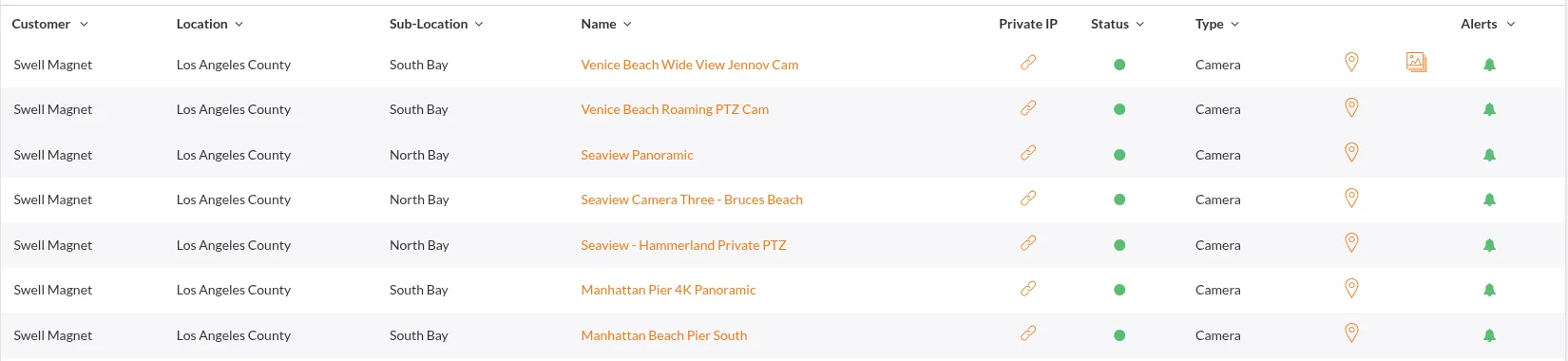
2. Look at the circle next to each device. If your network is set up properly and HDOnTap has HTTP access to the device:
- A green circle means the device is online.
- A red circle means the device is offline.
3. To open a device, click its orange link. If the device doesn't load, it's most likely offline, and it should also show a red circle.
Check streaming status
In Streaming > Streams, each stream shows a play triangle:
- A green play triangle means the stream is live and streaming.
- A red play triangle means the stream is not streaming or not live.
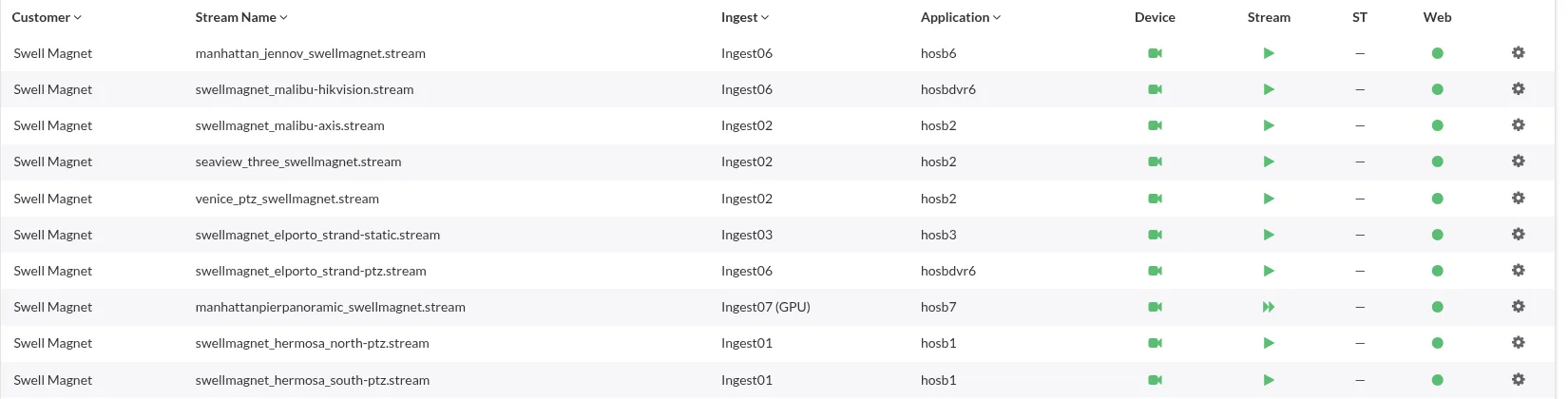
If the device itself is offline, the Streaming section also shows the device icon in red.
Get an email when a device goes offline
You don't have to keep checking this page. See Setting Up Offline Alerts for Devices to get an email when a device goes offline.
Status legend
| Where | Icon | What it means |
|---|---|---|
| Devices | Green circle | The device is online |
| Devices | Red circle | The device is offline |
| Streaming > Streams | Green play triangle | The stream is live and streaming |
| Streaming > Streams | Red play triangle | The stream is not streaming or not live |
| Streaming | Red device icon | The device is offline |
Why a camera can load for us but not for you
Some network administrators only allow HDOnTap's data center IP (Internet Protocol) addresses to reach the camera's HTTP interface. This is called whitelisting, and it's a common way to keep the camera's web page private.
If you whitelist, allow HDOnTap's data center IP range 38.90.224.0/25. Device monitoring and offline alerts run from portal01.hdontap.com, which sits in that range. See Setting Up Offline Alerts for Devices.
When a camera is set up this way:
- From HDOnTap's network, the camera loads and streams normally.
- From anywhere else, including your office, home or phone, the camera's web page won't load when you click its link.
So if the camera won't load for you, or you see a red circle from your side, it doesn't always mean HDOnTap can't reach it. Check the Streaming section: a green play triangle means the stream is live. If you're not sure how your network is set up, ask your site's network administrator, or contact us and we'll check from our side.
What to do if a device is offline
- Check the power. Make sure the camera and any network equipment it relies on (such as the router, switch or PoE injector, which provides Power over Ethernet) are powered on.
- Check the network. Make sure the site's internet connection is working and the camera is connected to the network.
- Check your network setup. Follow Network Setup for Live Streaming and Port Forwarding to confirm HDOnTap can reach the camera. If your public IP address changed, see Stream Connectivity and Updating Your RTSP URL. To avoid this in the future, see Dynamic DNS for Camera Sites.
- Set up alerts. So you hear about it sooner next time, see Setting Up Offline Alerts for Devices.
- Contact support. If the device is still offline, call us at 858.481.4096, Option 2, or use the Request Support link. Let us know which device it is and what you've already tried.
Frequently asked questions
What does a red circle on the Devices page mean?
The device is offline, as long as your network is set up properly and HDOnTap has HTTP access to the device.
What does a red play triangle in Streaming > Streams mean?
The stream is not streaming or not live.
The camera won't open when I click its link. Is it offline?
Most likely, and it should also show a red circle. But if your network only allows HDOnTap's data center to reach the camera, it won't load for you even though it's online for us. Check the Streaming section, or contact us.
My stream is down but the device shows online. What now?
Check Streaming > Streams for a red play triangle, then see A Stream Is Down! and Stream Buffering.
Who do I contact for help?
Call 858.481.4096, Option 2, or use the Request Support link.
Still need help?
Contact the HDOnTap support team at [email protected] or submit a support request.