
Overview
Most of the time an eagle cam shows an empty nest, and it's easy to miss the moment an eagle lands with a fish. The Eagle Activity Tracker fixes that. It adds an Activity tab to our eagle cams that shows whether an eagle is at the nest right now and lists every visit from the past month, so you can watch any of them with one click.
Our artificial intelligence (AI) eagle detection checks each nest every 30 seconds and notes when an eagle arrives and when it leaves. Each visit is saved as a clip you can watch anytime, and the tab updates on its own, so you can leave it open and check back.
For the full announcement, read Introducing the Eagle Activity Tracker on our blog.
Which cams have it
The Eagle Activity Tracker is live on these eagle cams on HDOnTap.com:
- Hilton Head Island Eagles
- Dataw Eagles (Dataw Island Conservancy)
- NEFL Eagles
More nests are coming soon.
Open the Activity tab
- Open one of the eagle cams above on HDOnTap.com.
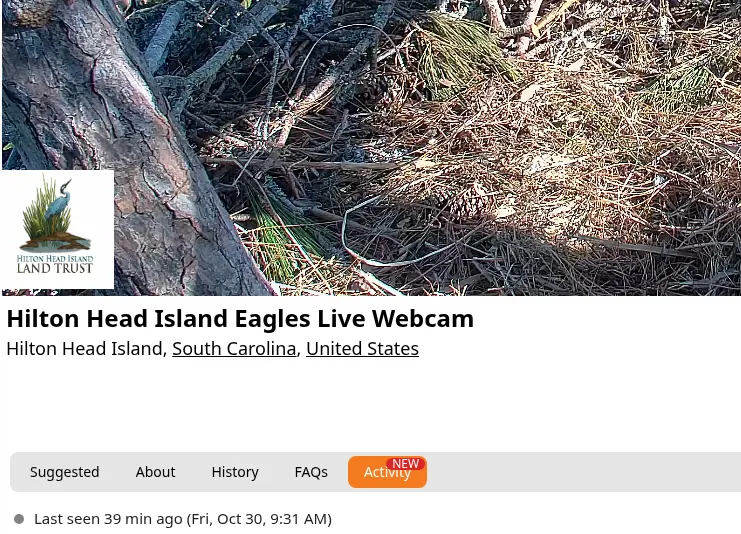
- Click the Activity tab under the player.
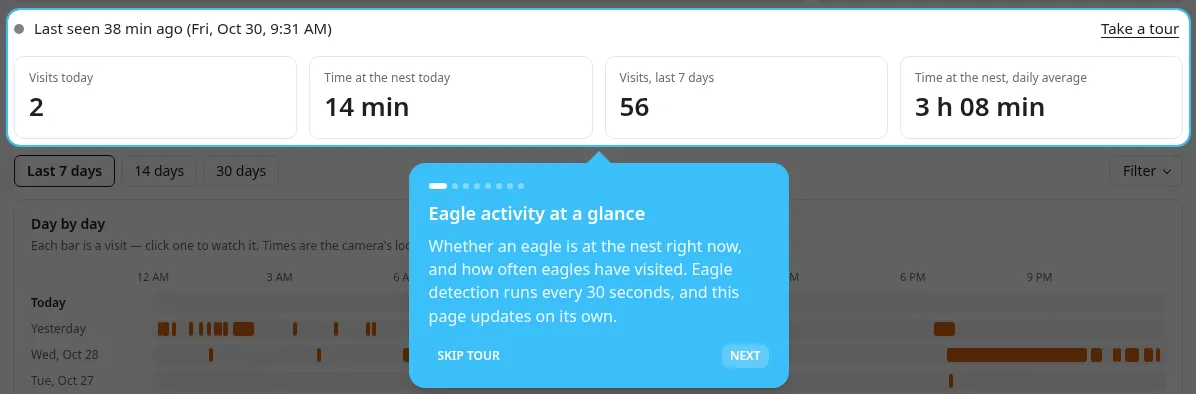
- The first time you open it, a short tour starts automatically and walks you through everything. You can reopen it anytime with Take a tour at the top of the tab.
Is anyone home?
The top of the tab tells you whether an eagle is at the nest right now, or when one was last seen. Below that are four quick numbers:
- Visits today, counted since midnight at the nest
- Time at the nest today, all of today's visits added up
- Visits over the last 7 days, or whichever range you pick
- Time at the nest, as a daily average over that range

Read the Day by day chart
The Day by day chart has one row per day, and each bar is a visit. Hover over a bar to see when the eagle arrived and left, then click it to watch that visit.
| Color | What it means |
|---|---|
| Orange | A visit you can watch |
| Green | An eagle is at the nest right now |
| Yellow | The visit's video is still being made, so check back soon |
| Gray | There's no video for that visit |
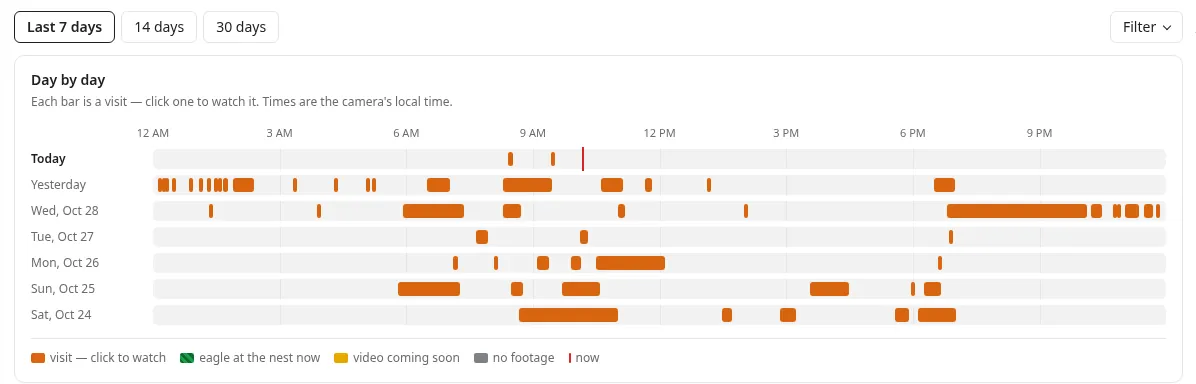
All times are shown in the nest's own local time, so a Florida nest's sunrise shows up at sunrise, wherever you're watching from.
Watch a visit
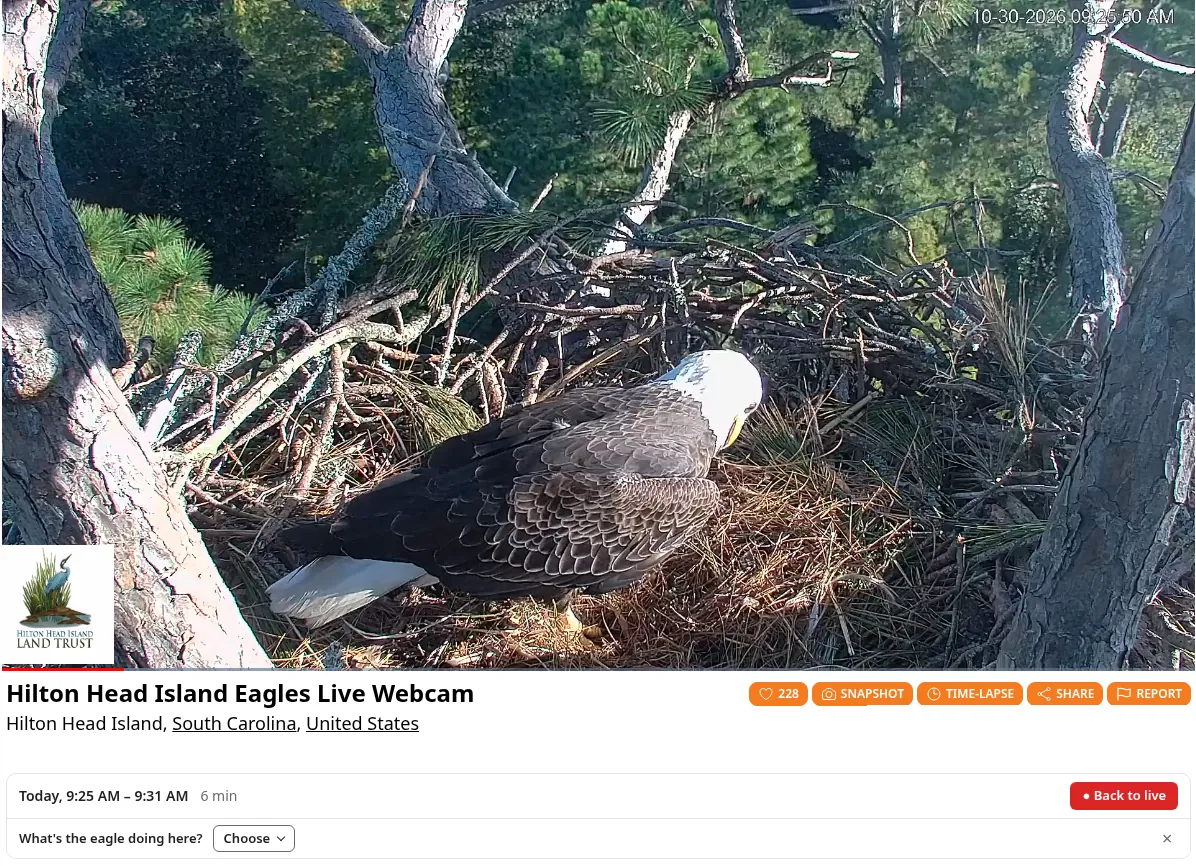
Click any visit and it plays right in the player, in place of the live stream.
- Long visits play as a timelapse, so you can watch an hour in a few minutes. Switch to Normal speed under the title to watch it in real time.
- Snapshots work here too, just like on the live stream. See How to Take a Snapshot of a Live Stream.
- ● Back to live takes you straight back to the live stream whenever you like.
All visits
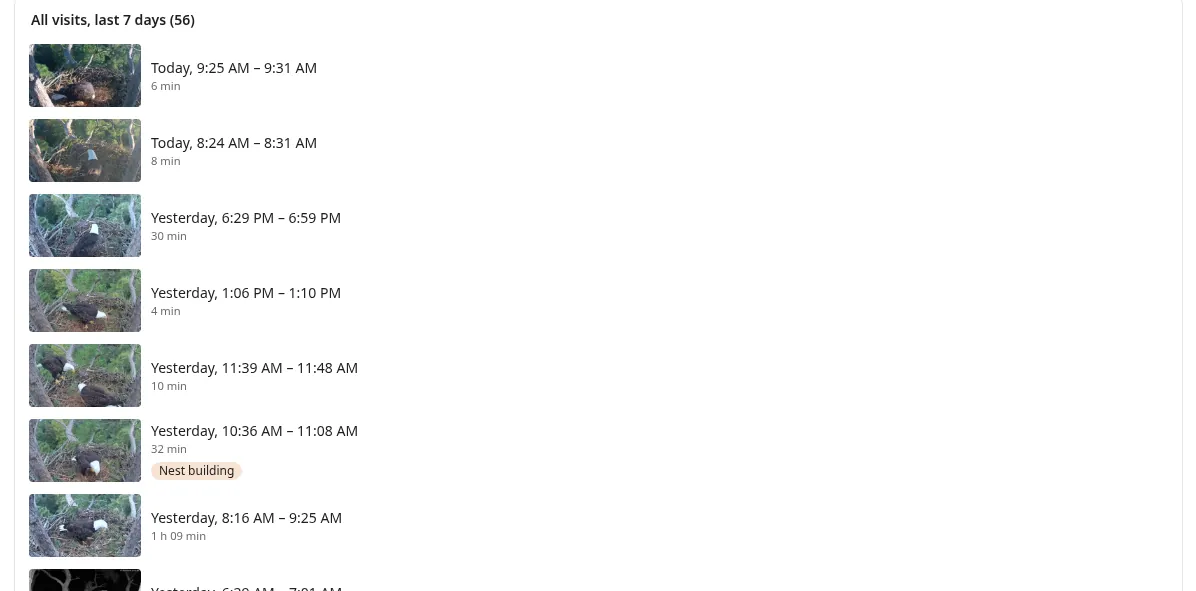
Below the charts, All visits lists every visit, newest first, with a thumbnail, the arrival and departure times, how long it lasted and any labels. Click one to watch it.
Tell us what the eagle is doing
While an eagle is at the nest, or while you watch a visit, the tab asks What's the eagle doing? Click Choose and pick one of these activities:
- Eating
- Feeding chicks
- Incubating / brooding
- Mating
- Nest building
- Perched / resting
- Preening
- Sleeping
- Two adults present
Your label goes on the moment showing in the player, live or in a visit.
Every label helps the whole community find the moments worth watching. Labeled visits show their labels in the list, so you can spot a feeding or a stick delivery at a glance. You need to be logged in to your free HDOnTap.com account to add labels.
Find the moments you love
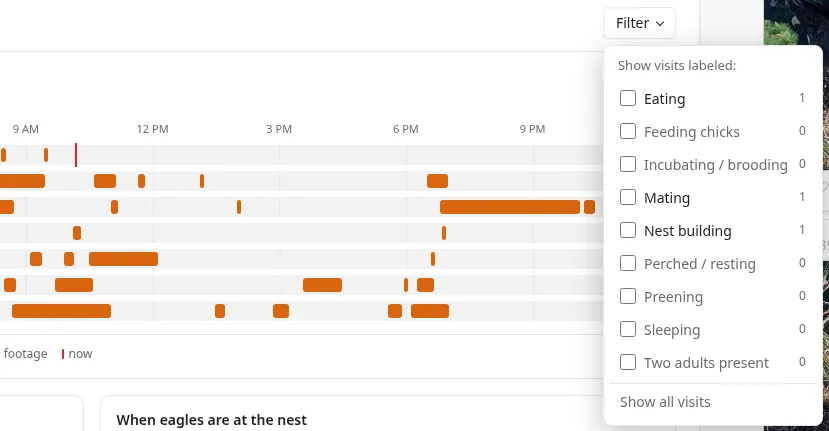
- Choose how far back to look: the last 7, 14 or 30 days.
- Click Filter and pick a label, such as Eating or Nest building.
- The visit list shows just the matching visits, and Day by day fades the rest so the matches stand out.
Know when to tune in
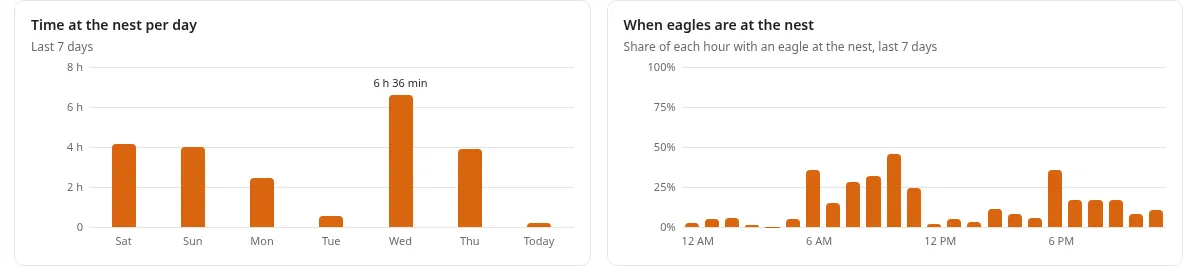
Two charts show each nest's rhythm:
- Time at the nest per day shows how busy each day was.
- When eagles are at the nest shows the hours of the day eagles are usually there, so you know the best time to catch them live.
Share a visit
- Click the visit you want to share so it plays in the player.
- Copy the page address from your browser's address bar while the visit is playing.
- Send it to a friend. When they open it, it goes right to that visit.
Note: The Share button under the player shares the live stream, not a specific visit. To share a visit, copy the page address while it's playing.
Tips for getting the most out of it
- Check before you tune in. Glance at the top of the tab to see if an eagle is at the nest now, or when one was last seen.
- Plan around the nest's rhythm. Use When eagles are at the nest to pick the hours you're most likely to catch them live.
- Short on time? Filter by a label such as Eating and watch just those visits, or let long visits play as a timelapse.
- Leave it open. The tab updates on its own, so a new visit shows up without reloading the page.
Troubleshooting
| What you see | What to do |
|---|---|
| No Activity tab under the player | The tab is only on Hilton Head Island Eagles, Dataw Eagles and NEFL Eagles. Make sure you're on one of those cams. |
| A visit's bar is yellow | Its video is still being made. Check back soon. |
| A visit's bar is gray | There's no video for that visit. |
| You can't add a label | Log in to your HDOnTap.com account, then try again. Labels can be added while an eagle is at the nest or while a visit plays. |
| The times look off | Times are in the nest's local time, not yours. |
| A visit won't play or the tab looks stuck | Refresh the page. If it still doesn't work, tell us in the chat or at feedback.hdontap.com. |
Frequently asked questions
Which cams have the Activity tab?
Hilton Head Island Eagles, Dataw Eagles and NEFL Eagles. More nests are coming soon.
How far back can I see visits?
The tab shows visits from the past month. You can look back over the last 7, 14 or 30 days.
How often does it check for eagles?
Our AI eagle detection checks each nest every 30 seconds.
Do I need an account?
Anyone can open the Activity tab and watch visits. You need to be logged in to add activity labels.
Why is a bar yellow or gray?
Yellow means the visit's video is still being made, so check back soon. Gray means there's no video for that visit.
What time zone are the times in?
The nest's own local time, wherever you're watching from.
Why does a visit play sped up?
Long visits play as a timelapse so you can watch them in a few minutes. Switch to Normal speed under the title to watch in real time.
How do I share a visit?
Copy the page address from your browser's address bar while the visit is playing, then send it. It opens right to that visit. The Share button under the player shares the live stream instead.
Will more cams get the Activity tab?
Yes. It's on three cams on HDOnTap.com today, and more nests are coming soon.
How do I send feedback?
We'd love to hear what you think. Leave an idea, bug report or feature request at feedback.hdontap.com, or tell us in the chat. For other help, call 858.481.4096, Option 2. Happy eagle watching!
Still need help?
Contact the HDOnTap support team at [email protected] or submit a support request.