
Overview
You can cancel your HDOnTap.com Premium Membership anytime from your account's Billing Settings. Billing is handled securely by Stripe, so the cancel button lives on the HDOnTap Billing page that Stripe hosts for us.
When you cancel, you keep the Premium no-ad experience until the end of the term you've already paid for. You won't be charged again, and you can change your mind any time before that date.
Cancel your Premium Membership
1. Open Billing Settings
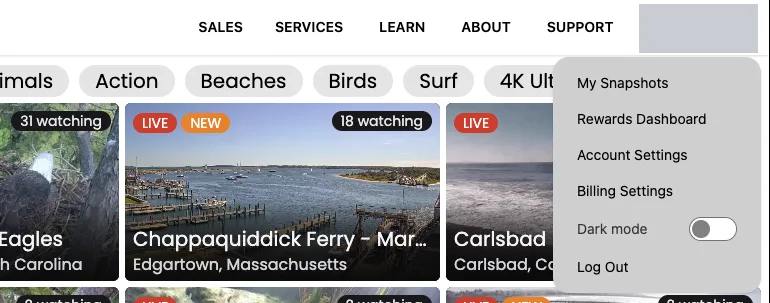
Sign in to HDOnTap.com. Click your profile picture or avatar in the upper-right corner, then select Billing Settings. If Billing Settings is greyed out, that account doesn't have a Premium Membership.
2. Click Cancel subscription
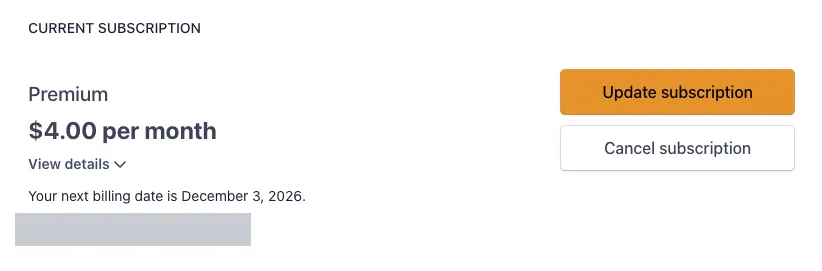
The HDOnTap Billing page opens. Under Current Subscription you'll see your Premium plan and your next billing date. Click Cancel subscription.
3. Select a reason
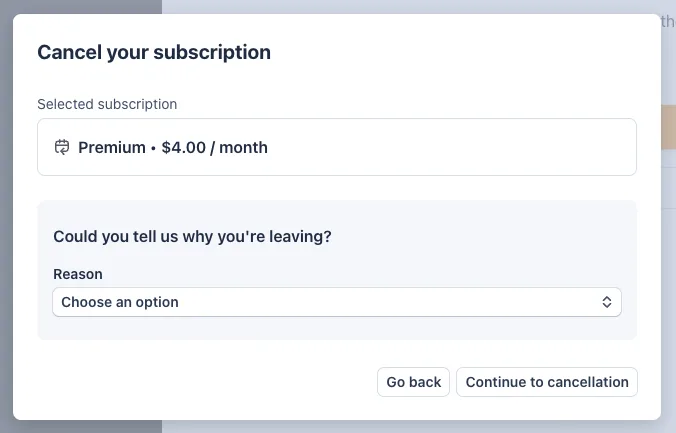
In the Cancel your subscription window, choose a reason from the Reason drop-down menu. Your answer helps us improve HDOnTap.com.
4. Add other feedback (optional)
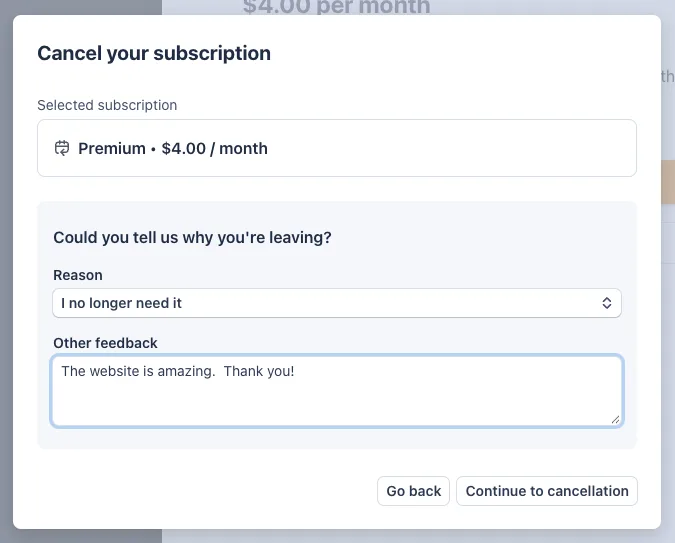
If you wish, type more in the Other feedback box.
5. Confirm the cancellation
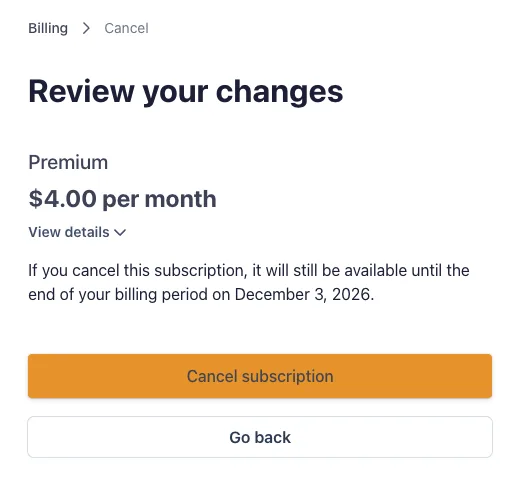
Confirm that you want to cancel by clicking the orange Cancel subscription button. The screen also shows the date your Premium access ends.
6. Check your confirmation
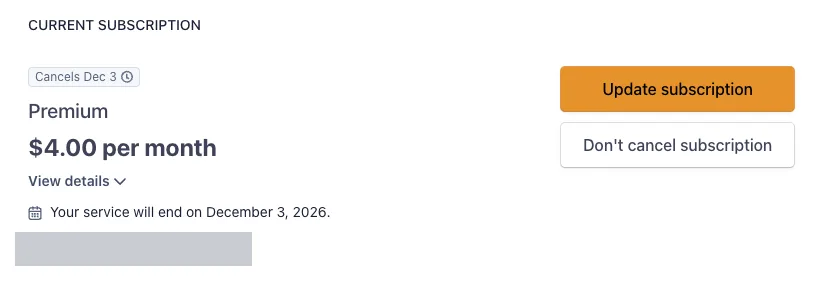
A new screen appears with a white Don't cancel subscription button. That confirms you've successfully canceled. Your plan also shows a Cancels badge and the date your service will end. You'll keep the Premium no-ad experience until then.
Changed your mind?
Until your service end date, you can go back to Billing Settings and click Don't cancel subscription. Your Premium Membership will continue and renew as usual.
Troubleshooting and FAQ
I don't see Billing Settings
Make sure you're signed in to the same HDOnTap.com account you used to buy Premium. Billing Settings only appears in the menu under your profile picture or avatar when you're signed in.
Billing Settings is greyed out
That account doesn't have a Premium Membership. If you think you have Premium, check whether you signed up with a different email address or account.
Will I lose Premium right away?
No. You keep the Premium no-ad experience until the end of the term you've already paid for. The exact date is shown on the billing page.
Will I still be charged?
No. Once you cancel, there are no further charges for your plan.
Can I get a refund?
No. HDOnTap doesn't offer refunds. After you cancel, you keep Premium until the end of the term you already paid for.
Still need help?
Call 858.481.4096, Option 2, or use the Request Support link.
Related articles
- HDOnTap Share Rewards Program
- How to Take a Snapshot of a Live Stream
- How to Use HDOnTap.com's New Chat System
Still need help?
Contact the HDOnTap support team at [email protected] or submit a support request.